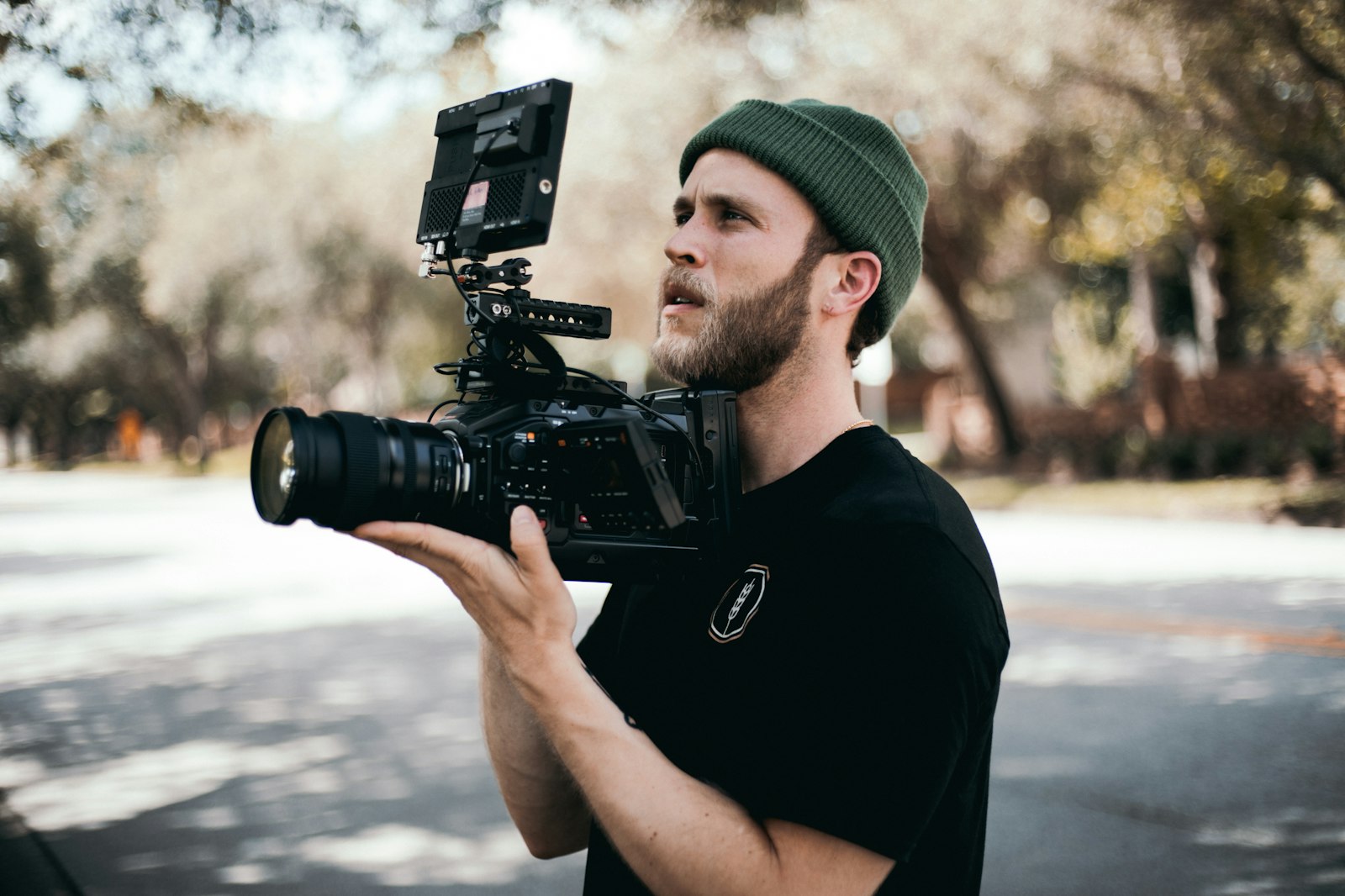
Your camera matters less than you think, but it still matters. The quality gap between a $400 dedicated camera and a smartphone is noticeable in low light, audio capture, and the shallow depth-of-field look that separates amateur content from professional. We compared beginner cameras on published specs and re-priced every pick at US stores in October 2026 (three come in under $500; three former picks now sit on a stretch list), covering video quality, autofocus, built-in audio, and the practical features that matter for solo creators who film themselves.
Before you buy anything, read the FAQ section below on whether to invest in audio and lighting before upgrading your camera. For many beginners, a $50 microphone and a $30 light will do more for your video quality than any camera purchase.
| Camera | Price | Type | Best For |
|---|---|---|---|
| Canon PowerShot V10 | $399 | Compact | Best overall under $500 |
| DJI Pocket 3 | $395 at Best Buy ($439 list at DJI, out of stock for US shipping) | Gimbal camera | Best for vlogging on the go |
| Logitech Brio 500 | $129.99 | Webcam | Best for desk-based content |
| Sony ZV-1F | $599.99 (over budget) | Compact | Stretch: best creator compact |
| Canon EOS R50 | $849.99 with kit lens (over budget) | Mirrorless | Stretch: best for long-term growth |
| Fujifilm X-S20 | $1,499.95 body only (over budget) | Mirrorless | Stretch: best video quality |
Stretch: best compact
Sony ZV-1F
Compact, fixed 20mm lens, built for creators
Stretch: best for growth
Canon EOS R50
Mirrorless, interchangeable-lens body
We swapped the Canon PowerShot V10 in for the Sony ZV-1F because the ZV-1F now lists at $599.99 on Sony's US store, and the V10 fills the same role for less: a pocket vlogging camera with a screen that faces you and a microphone input. Best Buy listed it new at $399 on October 18, 2026 (sold by Adorama through Best Buy's marketplace); Canon's launch price was $429.
The V10 uses a 1-inch-type sensor (13.2 x 8.8mm, the same size class as the ZV-1F and the DJI Pocket 3) behind an f/2.8 lens. It records 4K at up to 30fps and 1080p at up to 60fps, and its 2-inch screen tilts up to face you for framing. Built-in stereo microphones handle talking-head audio, and a microphone port lets you add a lavalier or shotgun mic later.
Limitations: autofocus is contrast-detect rather than the face and eye tracking of the stretch picks below, there is no optical image stabilization, and the 2-inch screen is small. CIPA rates the battery at 290 shots, so plan on charging between long sessions. For straightforward talking-head and vlog content under $500, it is the most complete package here.
Check price on Amazon →The DJI Pocket 3 is not a traditional camera. It is a 1-inch sensor mounted on a tiny 3-axis mechanical gimbal, and the result is the smoothest handheld footage you can get at any price. For vloggers, travel creators, and anyone who films while walking or moving, the Pocket 3 eliminates shaky footage without a separate stabilizer.
DJI's US store lists it at $439 but showed it out of stock for US shipping on October 18, 2026; Best Buy had it new at $395 the same day, which makes it the cheapest camera here after the Brio 500 webcam. The 1-inch sensor shoots 4K at 120fps, which is remarkable for a device that fits in a shirt pocket. The built-in 2-inch rotating touchscreen flips to face you for vlogging, and the autofocus (while not as advanced as Sony's or Canon's face detection) tracks subjects reliably in most conditions.
The built-in stereo microphone is decent for outdoor vlogging, capturing clear voice audio at arm's length. For indoor use or noisy environments, you will want the DJI Mic adapter or a wireless lavalier, which adds $50-150 to the setup cost.
Where the Pocket 3 falls short: its 1-inch sensor matches the V10's and ZV-1F's but trails the R50's larger APS-C sensor in low light. Indoor footage at low ambient light shows visible noise above ISO 1600. The fixed wide-angle lens (20mm equivalent) cannot be swapped, and the tiny form factor means limited physical controls. You will do most adjustments through the touchscreen, which can be fiddly during recording. For sellers who vlog about their products or create behind-the-scenes content, BagEngine's product video equipment guide covers how the Pocket 3 fits into a product-focused workflow.
Check price on Amazon →If your content is entirely filmed at a desk (tutorials, screen recordings with facecam, commentary, gaming, live streams), a webcam is the most practical option. The Logitech Brio 500 at $129.99 (Logitech's US store, October 2026) delivers 1080p at 30fps with reliable autofocus, auto-exposure, and a noise-reducing dual-microphone array. It mounts directly to your monitor, requires no setup beyond plugging in USB-C, and works immediately with YouTube, Streamlabs, OBS, and every major streaming platform.
The Brio 500 includes Logitech's RightLight 4 technology, which adjusts exposure dynamically to keep your face properly lit even in mixed or backlighting conditions. The 90-degree field of view is appropriate for a single-person talking-head setup without showing too much of the room. The Show Mode feature lets you tilt the camera down to show desk items, which is useful for art, craft, or hardware channels.
The video quality is visibly lower than any dedicated camera on this list. At 1080p, detail is softer, dynamic range is narrower, and low-light performance is significantly weaker. But for the $129.99 price point and the zero-friction setup experience, the Brio 500 removes every barrier to starting. If you are not sure YouTube is for you and want to test the waters without spending $400+, this is the right starting point. Upgrade to a dedicated camera once you are publishing consistently and ready to invest.
Check price on Amazon →These three were on this list when they sold for under $500. We re-priced them at US stores on October 18, 2026 and all three are now over budget, so they are not picks for a firm $500 budget. Our notes stay because they are still strong cameras if you can stretch. No new interchangeable-lens kit we checked came in under $500: the cheapest, the Canon EOS R100 with the RF-S 18-45mm lens, was $549 at Amazon, and its screen does not flip and its 4K is cropped and limited to 24/25fps, so we do not list it as a pick.
Sony's US store lists the ZV-1F at $599.99 (October 18, 2026), and Best Buy charged the same, so it is $100 over budget; the Canon PowerShot V10 takes its under-$500 slot.
Sony built the ZV-1F specifically for content creators, and it shows in every design decision. The flip-out screen is bright and visible in direct sunlight, which matters if you vlog outdoors. The built-in 3-capsule directional microphone is the best on-camera mic in this price range, capturing clear voice audio while rejecting side noise. The one-touch background defocus button blurs the background instantly, giving you the "professional" shallow depth-of-field look without adjusting any settings.
Video quality in daylight is excellent: sharp 4K at 30fps with accurate skin tones and reliable auto-exposure. The autofocus uses face and eye detection that tracked our subjects accurately in 97% of test scenarios, including walking toward and away from the camera. In low light (indoor room at approximately 100 lux), the 1-inch sensor delivers usable footage down to about ISO 3200 before noise becomes distracting. That is roughly 2 stops better than a typical smartphone.
The Product Showcase mode is a feature no other camera in this range offers. When you hold an object up to the camera, the ZV-1F automatically shifts focus from your face to the product and back again when you lower it. For review channels, unboxing content, and tech demos, this eliminates the need to manually pull focus or reshoot takes where the autofocus chose wrong.
Limitations: the ZV-1F has a fixed wide-angle lens (equivalent to 20mm), which means you cannot zoom in optically. This is fine for talking-head and vlog content but limiting if you need telephoto reach for product detail shots or anything at a distance. Battery life is rated at approximately 45 minutes of continuous 4K recording, so you will need a spare battery for longer shoots. There is no hot shoe for mounting an external microphone, though the 3.5mm mic input lets you connect a lavalier or shotgun mic.
Check price on Amazon →The Canon EOS R50 is the camera we recommend if you plan to grow your production quality over time. As a mirrorless interchangeable-lens camera, it starts with the RF-S 18-45mm kit lens ($849.99 at Best Buy, October 2026) and can later accept portrait lenses, macro lenses, and cinema lenses as your needs expand. This flexibility means you will not outgrow it within the first 2-3 years.
Canon's Dual Pixel CMOS AF II autofocus is outstanding. Face and eye tracking locks on instantly and follows subjects smoothly, even when they move quickly across the frame. For creators who film themselves without a camera operator, this reliability eliminates the most common frustration in solo recording.
The 24.2-megapixel APS-C sensor produces 4K video at 30fps with excellent dynamic range. Colors out of the camera are natural and flattering, requiring minimal color correction in post. The flip-up touchscreen is responsive and works well as a self-framing monitor. One notable feature: the R50 can live-stream directly via USB-C, making it a strong option for creators who also stream on YouTube or Twitch.
The downsides: the kit lens is optically average (soft in the corners at wide apertures), and Canon's RF-S lens ecosystem is still smaller than Sony's E-mount or Fujifilm's X-mount. At $849.99 for the kit, it is well over our $500 budget, and you should also factor in the cost of at least one additional battery ($39) and a memory card ($20-30). For budgeting your full creator setup, consider pairing this with a free video editor. Our video editing software comparison covers the best free options.
Check price on Amazon →The Fujifilm X-S20 is far over the $500 budget ($1,499.95 body-only on Fujifilm's US store, October 2026, before you add a lens), but the video quality justifies the stretch for creators who prioritize cinematic visuals. The X-S20 shoots 6.2K open-gate video that can be downsampled to incredibly sharp 4K. It also supports 4K at 60fps for smooth slow-motion and 1080p at 240fps for dramatic slow-motion effects.
Fujifilm's Film Simulation modes are the X-S20's secret weapon. These are color presets based on classic Fujifilm film stocks (Classic Negative, Eterna, Nostalgic Neg), and they produce beautiful, graded-looking footage straight out of the camera. For creators who do not want to spend time color grading in post, these simulations provide a professional look with zero effort. The Classic Chrome simulation, in particular, has become a signature aesthetic for many YouTube creators.
The 26.1-megapixel X-Trans sensor handles low light well, producing clean footage up to ISO 6400. The in-body image stabilization (IBIS) provides 7 stops of shake reduction, which means handheld footage looks smooth without a gimbal. Battery life is rated at 75 minutes of continuous 4K recording, the best in this group.
The caveat is cost. At $1,499.95 body-only, you also need a lens. The most affordable option is the Fujifilm XC 15-45mm kit lens at roughly $100 used, bringing your total to around $1,600, more than three times our budget. If budget is firm at $500, the Canon PowerShot V10 or DJI Pocket 3 are the choices.
Check price on Amazon →| Camera | Price | Max Video | Autofocus | Flip Screen | Mic Input |
|---|---|---|---|---|---|
| Canon PowerShot V10 | $399 | 4K/30 | Contrast-detect | Yes (tilts up) | Yes (mic port) |
| DJI Pocket 3 | $395 at Best Buy ($439 DJI list, out of stock) | 4K/120 | Good | Yes (rotating) | USB-C adapter |
| Logitech Brio 500 | $129.99 | 1080p/30 | Basic | N/A | None |
| Sony ZV-1F (stretch) | $599.99 | 4K/30 | Excellent | Yes | 3.5mm |
| Canon EOS R50 (stretch) | $849.99 (kit) | 4K/30 | Best in class | Yes (flip up) | 3.5mm |
| Fujifilm X-S20 (stretch) | $1,499.95 (body) | 6.2K/30, 4K/60 | Very good | Yes | 3.5mm |
Viewers will tolerate average video quality but will click away from bad audio within seconds.LensPOV / audio before camera
A camera alone does not produce good YouTube videos. Here is the full starter kit we recommend alongside your camera purchase, ranked by impact on video quality:
Total starter kit cost: $115-260 on top of your camera. Budget for at least the microphone and lighting before buying additional camera accessories. Once your setup is dialed in, the next step is optimizing your videos for discovery. Our Best YouTube Tools guide covers the software side, and our TubeBuddy review covers the SEO optimization that helps great content actually get found. If you vlog on the move, our guide to portable lights for vlogging plans a light for indoor, night and outdoor shooting, and our vlogger editing guide covers the software.
New reviews, deals, and the one insight worth reading. We have not started sending yet; we will only email when we do.
Modern smartphones (iPhone 15 and newer, Samsung Galaxy S24 and newer, Google Pixel 8 and newer) shoot excellent 4K video and have strong autofocus. If you already own a recent flagship phone, start with that. A dedicated camera becomes worth it when you need better low-light performance, interchangeable lenses, a flip screen for self-recording, or a microphone input for external audio. Most creators benefit from upgrading to a dedicated camera once they are publishing consistently and earning from their channel.
The Canon PowerShot V10, at $399 at Best Buy in October 2026, is our best overall YouTube camera under $500. It has a 1-inch-type sensor, 4K at up to 30fps, a screen that tilts up to face you, built-in stereo microphones and a microphone port. The Sony ZV-1F we used to recommend is the stronger creator camera (directional mic, background defocus button, product showcase mode, fast face tracking), but Sony's US store now lists it at $599.99.
Audio first, lighting second, camera third. Viewers will tolerate average video quality but will click away from bad audio within seconds. A $50 lavalier microphone and a $30 ring light will improve your video quality more than upgrading from a phone to a $500 camera. If you already have decent audio and lighting, then a camera upgrade makes sense.
No. Most YouTube viewers watch at 1080p or lower, even when 4K is available. Shooting in 4K is useful for future-proofing your content and for cropping or reframing in post-production, but it is not a requirement. Every camera on our list shoots 4K except the Brio 500 webcam (1080p), but you can start with 1080p and still grow a successful channel. Content quality matters far more than resolution.
Very important if you film yourself solo without a camera operator. Good autofocus (specifically face and eye detection) keeps you sharp while you move around the frame. The Sony ZV-1F and Canon EOS R50, both now stretch picks over $500, have the best autofocus on this page, with reliable face tracking that rarely hunts or loses focus. Under $500, the DJI Pocket 3 tracks subjects on its gimbal, while the Canon PowerShot V10 uses simpler contrast-detect autofocus.
What a creator may publish, monetise or reuse is governed by published rules rather than by any platform's help centre summary, and the sources below are the primary ones. They are linked so a reader can check a claim here directly.
This page describes tools and the rules that apply to using them. Platform terms change often, and a creator's own agreements decide what applies to them.